
Make the safest path to AI the easiest one.
The MSP-ready AI workspace your clients will actually use.
Multi-model AI access, sensitive data protection and MCP-enabled workflow integration, delivered as your managed service.
Unlimited Multi-Model Access
Give users the AI experience they want in one approved workspace.
Policy-Backed Protection
Help protect sensitive data before it reaches AI models.
Built for Managed Services
Package, white-label, deploy, and support Liminal as a recurring AI service.
Stay in the AI Path
Keep your MSP between clients, their data, and the AI capabilities they’re adopting.
Your clients want the speed and convenience of modern AI tools. You need a way to deliver that experience without losing visibility, control or the client relationship to unmanaged platforms.
Through PORT1, Liminal for MSPs gives you a Secure AI Workspace that brings leading AI models into one governed environment. Users get an easy, approved place to work with AI. Clients get policy controls, sensitive data protection and usage visibility. You get a platform you can deliver as your own managed service.
With MCP support, Liminal can connect AI into the tools, systems and workflows your clients already rely on, so your offer can grow beyond secure chat into safer, repeatable AI-enabled workflows.
Why MSPs Need a Better Path to AI
Shadow AI is already in your client base
Users are already relying on AI to move faster. Without a sanctioned workspace, that usage happens in tools you don’t manage, with data you can’t see and policies you can’t enforce.
Unmanaged AI creates tool sprawl
Clients may adopt separate AI tools for writing, research, analysis, and automation. That fragments visibility and can pull AI strategy outside your MSP relationship.
Traditional security tools weren’t built for prompts
EDR, email security, firewalls, and web filters weren’t designed to govern what users put into AI models, what comes back out or how that usage gets logged.
Clients need enablement, not restriction
What Liminal gives you and your clients
Liminal is an AI security, governance, and enablement platform that sits between users, AI models, business data, and the tools where work happens.
One AI Workspace
Give users one approved place to use AI for everyday work.
Multi-Model Access
Bring leading AI models into one governed experience.
Data Protection
Help protect sensitive data before it reaches a model.
Policy and Visibility
Set guardrails, monitor usage, and support client oversight.
With Liminal, you’re not just giving clients another AI tool. You’re giving them a safer way to adopt AI at work, and giving your MSP a platform you can turn into a managed service.
Key Capabilities
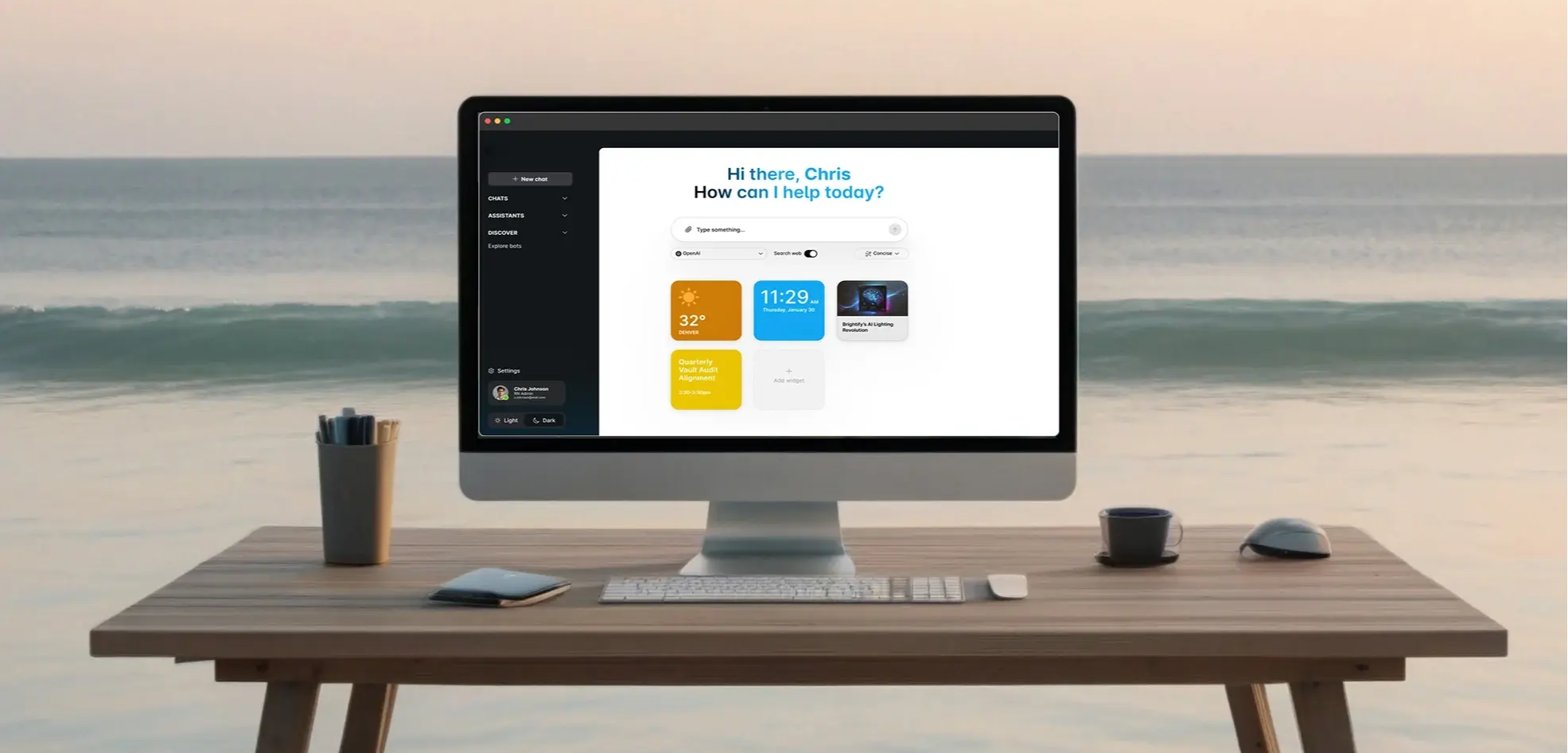
Secure multi-model chat
One Secure AI Workspace
A single approved place for users to work with AI.
Leading Model Choice
Use leading AI models without sending users to scattered tools.
Role-Based Model Access
Control model and capability access by user.
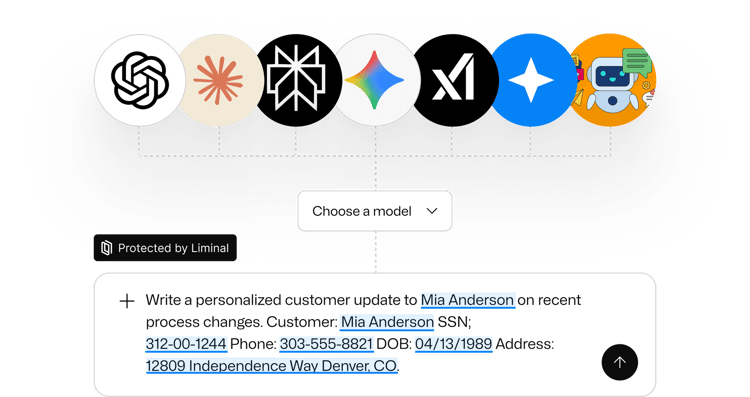
Sensitive Data Guardrails
Help protect sensitive data before it reaches a model.
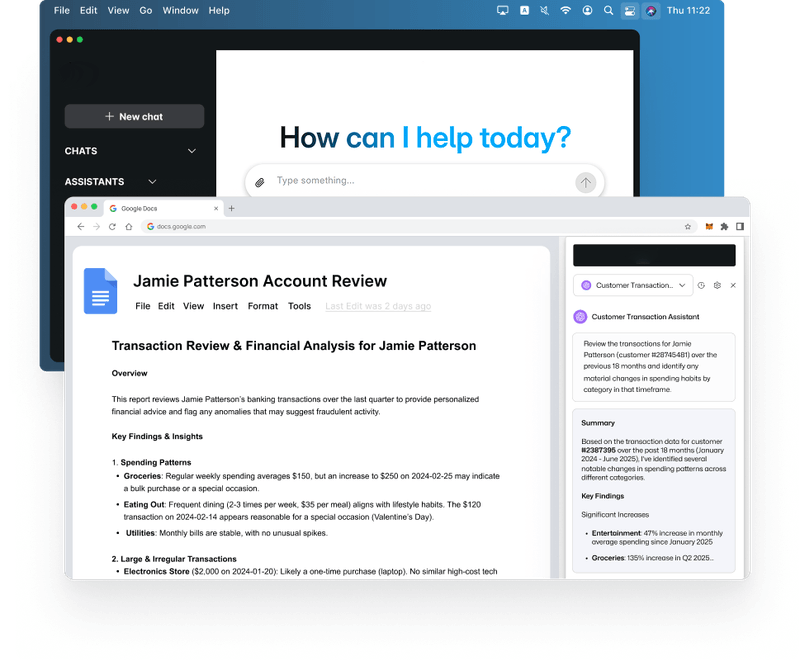
MCP and workflow integration
Connect Everyday Tools
Bring AI closer to the tools and workflows clients already use.
Go Beyond Secure Chat
Move from standalone prompts into practical AI-enabled work.
Keep Governance in the Path
Apply policies and visibility as AI connects to more tools.
Build on the Workspace
Create a stronger expansion path as client AI needs mature.
Liminal Console and Insights
Central Admin Console
Manage AI access, governance, and settings in one place.
Fine-Grained Policy Controls
Set rules by user, team, model, tenant, and data type.
Real-Time Logs and Alerts
See what happened and respond quickly when it matters.
Adoption and Value Insights
Understand usage trends, risk signals, and service opportunities.

Desktop app, browser extension, and SDK
Meet Users Where They Work
Bring governed AI into browser and desktop workflows.
Governed AI in Apps
Use the SDK to keep AI consistent, logged, and controlled.
Custom assistants for more tailored outputs
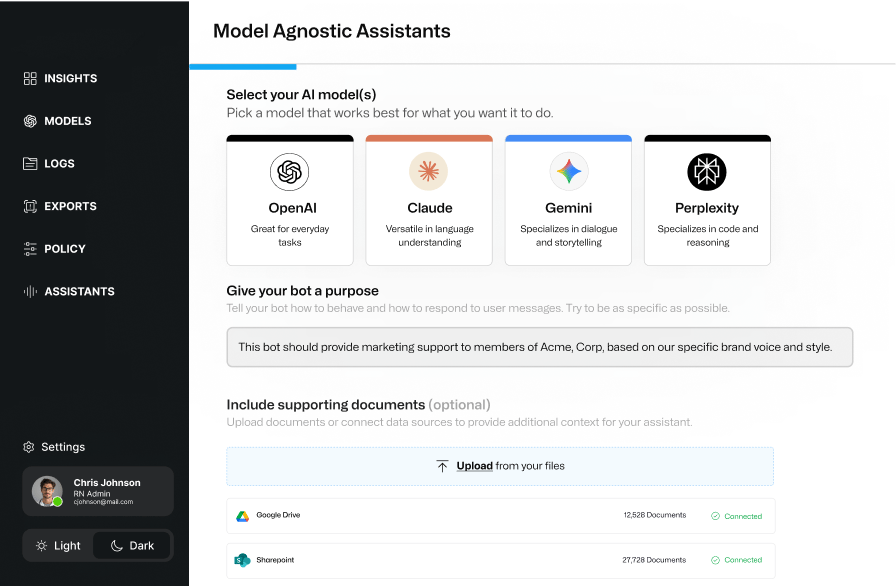
Build Secure Assistants
Create and share assistants tuned to real business needs.
Attach Supporting Content
Tailor outputs by client, department, or use case.
Liminal is enterprise-grade. PORT1 makes it MSP-friendly.
Flexible Licensing Model
Monthly per-user licensing with a 10-user minimum per tenant.
Clear Tenant Structure
Support your own team and client environments cleanly.
Repeatable Service Plays
Package Safe AI and Managed GenAI into recurring services.
MSP-Focused Enablement
Get messaging and delivery guidance built for MSP workflows.
White-Label Options
Brand the workspace with your logo or your client’s.
Support That Understands MSPs
Help from a team that knows managed services, not just software.
What this means for your MSP
Differentiated Managed Services
Turn safe AI adoption into a concrete recurring service.
Reduced AI Risk Exposure
Move unmanaged client AI use into a governed workspace.
Stronger QBR Conversations
Use reporting to show adoption, risk trends, and value.
Say Yes to AI, Safely
Help clients adopt AI without losing guardrails or visibility.
Core service offers you can build on Liminal
Secure AI Workspace as a Managed Service
Give each client one safe, governed AI workspace their users can rely on every day.
Knowledge-Worker Teams
Users draft, summarize, research, and analyze work every day.
AI Use Is Already Happening
Teams are experimenting with AI, formally or informally.
Data Sensitivity Counts
They handle PII, PHI, financials, contracts, or IP.
Leadership Wants Guardrails
Owners and auditors want clarity, control, and visibility.
What You Deliver
Tenant Setup and Configuration
Stand up the workspace with sensible defaults.
Baseline Data Policies
Create guardrails for sensitive and internal content.
Role-Based Access Control
Map access to users, teams, and risk profiles.
Multi-Model Access for Users
Give users one place to use leading models safely.
Ongoing Policy Tuning
Refine controls based on real usage and feedback.
Reporting for QBRs
Show adoption, trends, policy events, and value.
How to Position It
Secure AI Workspace
One approved place for users to work with AI every day.
Guardrails and Visibility
One place to use AI with policy, logging, and leadership clarity.
AI Governance and Shadow AI Assessment
What You Deliver
Stakeholder Discovery
Interview leaders and review current AI expectations.
Current-State AI Mapping
Identify where AI is used and where risk is highest.
Controls and Recommendations
Define policies and guardrails to reduce exposure.
Rollout Roadmap
Create a plan to move usage into a governed workspace.
How it Ties into Managed Services
One Governed Destination
Move AI usage into a controlled, visible workspace.
Recurring Governance Motion
Turn findings into ongoing reviews and policy tuning.
AI Workflow Enablement
Position It
After Core Adoption
Start once the workspace is in regular use.
Workflows Create Friction
Teams lose time switching tools or repeating manual steps.
Clients Want Integrated AI
They want AI closer to the systems they already use.
You Need an Expansion Path
Move from safe AI access into higher-value services.
Deliver It
Use-Case Discovery
Find workflows where AI can help without adding risk.
Workflow Planning
Map users, systems, access needs, and business goals.
MCP-Enabled Configuration
Connect supported tools through Liminal’s governed layer.
Training and Adoption
Teach users how to work safely and effectively.
Grow It
Less Tool Switching
Bring AI closer to where work already happens.
More Useful AI Adoption
Move beyond generic prompts into practical workflows.
Governance Stays in Place
Keep policy, visibility, and control in the AI path.
More Value Over Time
Build new AI-enabled workflows as needs mature.
How MSPs can use Liminal internally
Your MSP can be one of the first real-world use cases. Use Liminal with your own team, learn the platform, build practical examples, and bring those stories into client conversations.
Service Desk and Support
Summarize tickets, draft responses, and speed up resolution.
Engineers and Delivery
Draft SOPs, troubleshoot faster, and document repeatable work.
Sales, AMs, and vCIOs
Draft proposals, SOWs, QBRs, and follow-up emails.
Leadership and Operations
Draft policies, summarize reports, and support planning.
All of it happens inside a governed workspace instead of scattered AI tools. That helps reduce your own risk and gives you practical examples to share with clients.
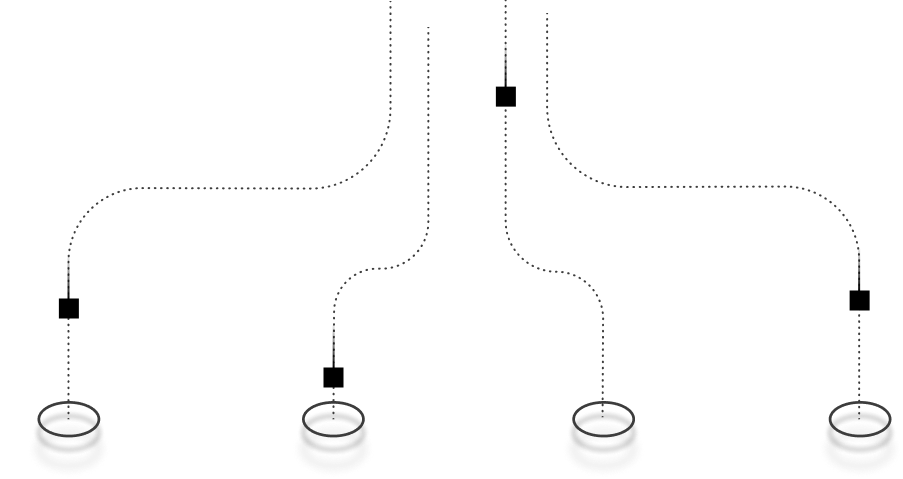
Liminal’s security model centers on three steps
Detect
Sensitive Data Identification
Detect sensitive data before anything is sent to a model.
Coverage Across Data Types
Support policies for PII, PHI, PCI, and client-specific rules.
Protect
Policy Actions
Mask, redact, warn, block, or allow based on policy.
Flexible Scope
Apply rules by user, group, tenant, model, and data type.
Rehydrate
Authorized Context Restored
Protected terms can be restored for approved users when policy allows.
Models Stay Protected
Models and logs only see what policy permits.
This approach helps reduce the risk of data leakage, supports compliance efforts, and gives you a stronger governance story for owners, auditors, and regulated clients.
.webp?width=1482&height=895&name=68c35e82009824c6d5c2490e_4%20(3).webp)
Featured white paper: The Practical Path into AI for Managed Service Providers
Vertical Examples You Can Lead With
Liminal is designed for sensitive and regulated environments that need AI productivity with policy, visibility, and control.
Healthcare and clinics
PHI-Aware Guardrails
Help reduce exposure of sensitive patient information.
Governed Staff Productivity
Support drafting and summarization in an approved workspace.
Clear Usage Boundaries
Give staff a safer place to use AI at work.
Visibility for Leadership
Help administrators understand how AI is being used.
Financial services, banking, and credit unions
Sensitive Data Protection
Help reduce exposure of customer and account information.
Policy-Backed AI Use
Give staff a governed place to draft and analyze.
Usage Visibility
Support oversight with logging and reporting.
Workflow-Ready Expansion
Use MCP support as AI needs mature.
Insurance agencies and brokers
Faster Client Communication
Draft summaries and emails with guardrails in place.
Claims Data Protection
Help reduce exposure of customer and claims information.
Consistent Internal Enablement
Support training and process content safely.
Governed Daily Use
Keep work AI inside an approved environment.
Education
Staff Productivity
Help teams draft and summarize with guardrails.
Student Data Protection
Reduce exposure of student and family information.
Clear Usage Boundaries
Give staff a sanctioned workspace for AI.
Leadership Visibility
Support oversight without blocking adoption.
Biotech and life sciences
Knowledge Work Support
Help teams work faster with complex content.
IP Protection
Reduce exposure of proprietary information.
Safer Summarization
Summarize technical material with policy guardrails.
Governed Model Access
Keep AI use visible, controlled and policy-aligned.
These are all places where your MSP is already trusted. Liminal lets you extend that trust into AI.
Can Liminal reduce scattered AI tool sprawl?
Make Liminal the default AI workspace
Most users don’t need separate AI accounts for everyday work. They need one approved place to draft, summarize, research, analyze, and build repeatable workflows.
Keep specialized tools as the exception
Some users may still need dedicated tools for coding, Microsoft-native workflows, or advanced agentic work. That’s fine. They just don’t need to become the default path for everyone.
Give clients one governed AI standard
With Liminal, users get leading models in one workspace. Clients get policy, logging, and sensitive data protection. MSPs get one environment they can deploy, manage, support, and report on.
How model access works conceptually
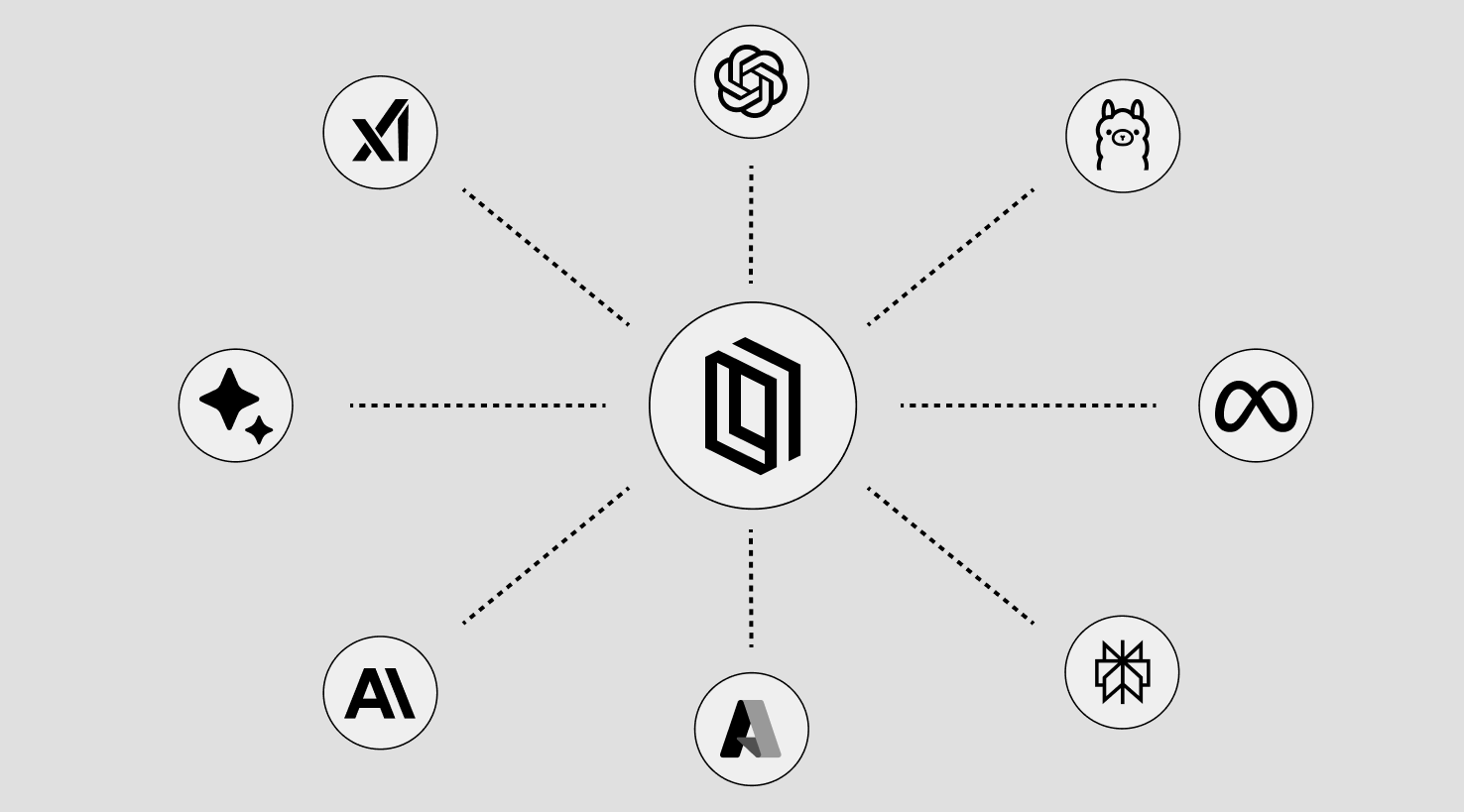
One Front Door for AI
Users access AI through Liminal instead of scattered sites and accounts.
Multi-Model on the Backend
Liminal connects users to leading models through one governed workspace.
Governed by Design
Policy, logging, and visibility stay in the path of AI usage.
Simplified User Experience
Users get a more consistent way to use AI for work.
What this means for MSPs
Reduce Tool Sprawl
Consolidate everyday AI usage into one workspace.
Standardize the Client Experience
Create one approved AI environment across users and teams.
Support Special Requirements
Make room for unique tools or workflows when they’re needed.
Keep Control Centralized
Make AI usage easier to manage, monitor, and support.
Deeper licensing and deployment questions can be handled one-on-one with PORT1.
Turn AI interest into client adoption
1.
Start the AI Conversation
Lead With Education
Help clients understand the productivity upside of AI, the risk of unmanaged tools, and why a Secure AI Workspace belongs in their business.
Host a Client Webinar
Use an educational session to reach clients and prospects at scale, with PORT1 available to help plan, present, or co-host.
2.
Show Liminal in action
Demo With PORT1
Bring PORT1 into client meetings to show how Liminal works and how it supports safe AI adoption.
Use the Sandbox
Explore models, policies, assistants, and use cases in a shared tenant without using real client data.
3.
Drive adoption and value
Enable the Users
Help teams use Liminal safely and confidently, so the approved workspace becomes their default.
Keep the Momentum
Use PORT1 resources, how-to guides, decks, and live enablement sessions to help clients get more value over time.
Ready to make safe AI the easy choice for your clients?
Liminal for MSPs gives you a Secure AI Workspace your clients can actually use, with the governance, visibility, white-label options, and service model your MSP needs to own the AI path forward.